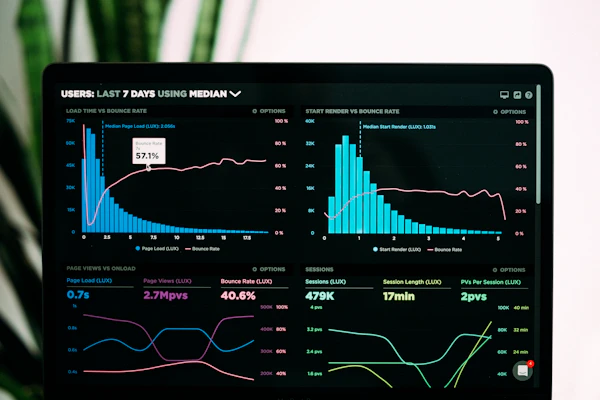
Stay Safe Online with CyberSafe

Learn how to protect yourself from cyber threats and online fraud in simple, non-technical language. Perfect for students, teenagers, and all internet users.

Every 39 seconds, a hacker attack occurs somewhere on the internet. Are you prepared?

Start Learning Now
Understanding Cybersecurity

Learn the essentials of protecting yourself in the digital world

Cybersecurity Concept

What is Cybersecurity?

Cybersecurity is the practice of protecting computers, servers, mobile devices, electronic systems, networks, and data from malicious attacks, damage, or unauthorized access.

  • Protects your personal information
  • Prevents identity theft and financial loss
  • Keeps your devices safe from malware
  • Safeguards national security infrastructure
Common Cyber Threats

Common Threats

Understanding different types of cyber threats is the first step in protecting yourself online.

  • Malware: Malicious software like viruses, worms, and ransomware
  • Phishing: Fake emails/messages tricking you to reveal information
  • Social Engineering: Manipulating people to give up confidential info
  • Man-in-the-Middle: Hackers intercepting communications
91%
of cyber attacks start with a phishing email

$4.35M
Average cost of a data breach in 2022


Secure Practices

Secure Practices

• Use strong, unique passwords

• Enable two-factor authentication

• Keep software updated

• Use secure Wi-Fi connections

Risky Behaviors

Risky Behaviors

• Using public Wi-Fi for banking

• Clicking suspicious links

• Sharing passwords

• Ignoring software updates

Online Fraud Awareness

Recognize and protect yourself from common online scams

Phishing Scam

Phishing Scams

Phishing is a cybercrime where targets are contacted by email, telephone, or text message by someone posing as a legitimate institution to lure individuals into providing sensitive data.

  • Fake emails from "banks" or "government agencies"
  • Links to fake login pages that steal credentials
  • Urgent messages requiring immediate action
  • Malicious attachments disguised as invoices or documents
Shopping Scams

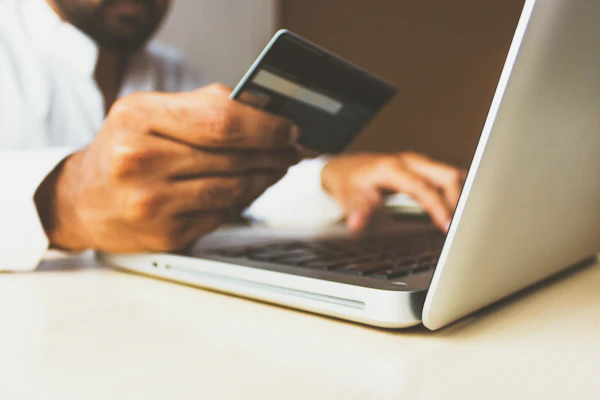
Online Shopping Scams

Fake online stores or sellers that take your money but never deliver the products, or deliver counterfeit items.

  • Prices that seem too good to be true
  • Requests for unusual payment methods (gift cards, wire transfers)
  • Websites without proper contact information
  • Lack of secure payment options (no "https://")
Romance Scams

Romance Scams

Scammers create fake profiles on dating sites or social media to form relationships, then ask for money for emergencies, travel, or medical expenses.

  • Quickly professing love or strong feelings
  • Avoiding video calls or in-person meetings
  • Asking for money for emergencies or travel
  • Requesting gift cards or wire transfers
Tech Support Scams

Tech Support Scams

Scammers pretend to be from legitimate tech companies and claim your computer has a virus or problem, then charge for unnecessary services or install malware.

  • Unsolicited calls about computer problems
  • Pop-up warnings with phone numbers to call
  • Requests to download remote access software
  • Demands for payment for "fixing" non-existent problems
1 in 3
people have been victims of online fraud or know someone who has

Online Safety Tips

Practical do's and don'ts to keep yourself safe online

DO - Password Best Practices
  • Use passwords with at least 12 characters including uppercase, lowercase, numbers, and symbols
  • Create unique passwords for each important account (email, banking, social media)
  • Enable two-factor authentication (2FA) whenever available
  • Use a reputable password manager to generate and store passwords
  • Change passwords immediately if a service you use has a data breach
DON'T - Password Mistakes
  • Use personal information (names, birthdays, pet names)
  • Use common sequences like "123456" or "password"
  • Reuse the same password across multiple sites
  • Write passwords on sticky notes or share them with others
  • Use dictionary words without modifications
DO - Social Media Safety
  • Review and adjust privacy settings for each platform regularly
  • Think before you post - assume anything you share could become public
  • Be selective about friend/follower requests (only accept people you know)
  • Report suspicious accounts, harassment, or inappropriate content
  • Use different passwords for each social media account
DON'T - Social Media Risks
  • Share personal information (address, phone number, school location)
  • Post vacation photos while you're still away (wait until you return)
  • Click on suspicious links even if they're from "friends"
  • Participate in viral quizzes that ask for personal information
  • Share inappropriate or sensitive content that could be used against you
DO - Email Safety
  • Check sender email addresses carefully (look for misspellings)
  • Hover over links to see the actual URL before clicking
  • Look for spelling and grammar errors (common in phishing emails)
  • Use spam filters and report phishing emails to your provider
  • Verify unexpected attachments with the sender before opening
DON'T - Email Dangers
  • Open attachments from unknown senders (could contain malware)
  • Click on links in unexpected emails asking for personal information
  • Reply to emails that create a sense of urgency or fear
  • Provide passwords, SSN, or financial details via email
  • Believe emails promising unexpected money or prizes
DO - Safe Online Shopping
  • Shop only on secure websites (look for "https://" and padlock icon)
  • Research sellers before making purchases (check reviews)
  • Use credit cards instead of debit cards for better fraud protection
  • Keep records of purchases and confirmations
  • Use strong passwords for shopping accounts
DON'T - Shopping Scams
  • Shop on public Wi-Fi networks (use cellular data or VPN)
  • Believe prices that are too good to be true
  • Use payment methods that don't offer fraud protection
  • Shop on sites with no contact information or physical address
  • Save payment information on shopping sites

Test Your Cybersecurity Knowledge

Take this short quiz to see how well you can identify online threats

Real-Life Scenarios

Practice identifying safe responses to common online situations

You receive an email from your "bank" saying there's a problem with your account and you need to click a link to verify your information. The email looks legitimate with the bank's logo. What do you do?

Correct Approach: Option 3 - Contact your bank directly using the phone number on their official website.

Why: Banks never ask for sensitive information via email links. Phishing emails often look legitimate with correct logos but lead to fake websites designed to steal your login credentials. Always contact organizations directly through verified contact information from their official website or your account statements.

Phishing Email Example
You're playing an online game and someone offers you free in-game currency if you download and run a special program. They claim it's a "hack" that works. What do you do?

Correct Approach: Option 3 - Ignore the offer and report the user to game moderators.

Why: Programs promising free in-game currency are often malware in disguise. They can steal your account information, install viruses, give hackers access to your device, or violate game terms resulting in account bans. Legitimate games don't require external programs for currency, and using hacks violates terms of service.

Gaming Security
A new person you met on social media asks for your phone number after just a few messages. They seem nice and have mutual friends. What do you do?

Correct Approach: Option 3 - Politely decline and continue chatting on the platform.

Why: Personal information like phone numbers can be used for harassment, identity theft, SIM swapping attacks, or social engineering. Even with mutual friends, it's safer to keep conversations within the platform until you've established genuine trust over time. If they're legitimate, they'll understand your privacy concerns.

Social Media Safety

Community

Creating CyberSafe: Behind the Scenes

alt="Addressing Local Peoples" class="community-img">

Addressing Local Peoples

alt="Addressing Local Peoples" class="community-img">

Addressing Local Peoples

alt="Addressing Local Peoples" class="community-img">

Addressing Local Peoples